Microsoft SharePoint Online Live Class by Experts
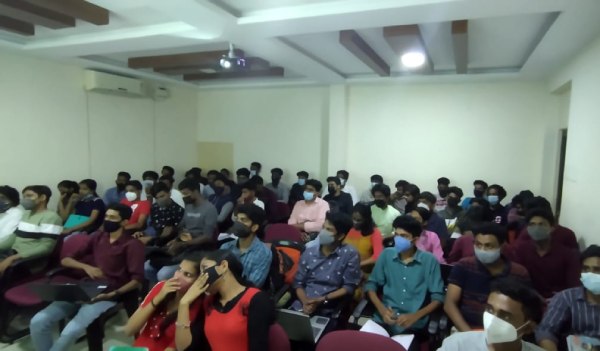
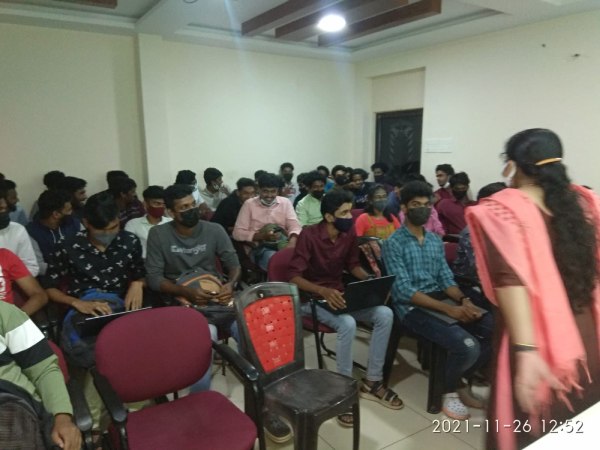
Our Training/Internship Process

Microsoft SharePoint - Syllabus, Fees & Duration
Here's a detailed syllabus for Microsoft SharePoint covering fundamental to advanced topics:
Microsoft SharePoint Course Syllabus
Module 1: Introduction to Microsoft SharePoint
- Overview of SharePoint – Features and Benefits
- SharePoint as a Collaboration Platform
- Understanding SharePoint Architecture
- On-Premises vs SharePoint Online
- SharePoint Editions and Licensing
- Navigating the SharePoint User Interface
Module 2: SharePoint Sites and Site Collections
- Understanding Site Collections and Subsites
- Creating and Managing Site Collections
- Types of SharePoint Sites (Team, Communication, Hub)
- Configuring Site Settings and Navigation
- Customizing Site Look and Feel
- Creating and Managing Pages with Web Parts
- Understanding SharePoint Home Site and Hub Sites
Module 3: SharePoint Lists and Libraries
- Creating and Managing Lists (Custom Lists, Task Lists, Calendar)
- Document Libraries – Features and Versioning
- Metadata and Content Types
- Creating and Managing Views and Filters
- Working with Large Lists – Indexing and Performance Optimization
- Using Lookup Columns and Relationships
Module 4: SharePoint Content Management
- Understanding SharePoint Content Management System (CMS)
- Document Versioning and Check-in/Check-out Features
- Implementing Content Approval Workflows
- Document Co-Authoring and Collaboration
- Records Management and Compliance Policies
- Managing Document Retention Policies
- Using Document Sets for Organizing Content
Module 5: SharePoint Permissions and Security
- SharePoint Security Model Overview
- User Roles and Permission Levels
- Creating and Managing Permission Groups
- Site and Item-Level Security
- External Sharing and Guest Access
- Managing Access Requests and Invitations
- Auditing and Monitoring Security
Module 6: SharePoint Workflows and Automation
- Introduction to SharePoint Workflows
- Automating Tasks with Power Automate (Microsoft Flow)
- Creating and Customizing Workflows
- Approval Processes and Notification Workflows
- Using SharePoint Designer for Workflows
- Integrating Power Automate with SharePoint
Module 7: SharePoint Integration and Customization
- Integrating SharePoint with Microsoft 365 (Teams, OneDrive, Outlook)
- Using PowerApps for Custom Forms
- Introduction to SharePoint Designer
- Customizing SharePoint with JSON and PowerShell
- Developing Custom Web Parts and Extensions
- Using REST API and JavaScript for Customizations
Module 8: SharePoint Administration
- Central Administration Overview (For On-Premises)
- Managing SharePoint Online Admin Center
- Creating and Managing Subsites
- Managing Quotas and Storage Limits
- Monitoring and Troubleshooting Issues
- Performing Backup and Restore in SharePoint
- Using SharePoint Health Analyzer
Module 9: SharePoint Search and Business Intelligence (BI)
- Configuring SharePoint Search
- Search Optimization with Managed Metadata
- Enterprise Search and Query Rules
- Business Intelligence Features in SharePoint
- Integrating Power BI with SharePoint
- Creating Dashboards and Reports
- Using SharePoint Excel Services
Module 10: Advanced SharePoint Topics (Optional)
- SharePoint Hybrid Deployment and Migration
- Introduction to SharePoint Framework (SPFx) for Developers
- Customizing SharePoint with JavaScript and REST APIs
- Enterprise Content Management (ECM)
- Governance and Compliance Best Practices
- Performance Tuning and Optimization
Hands-On Projects and Real-Time Scenarios
- Setting up a SharePoint Team Site for an Organization
- Implementing a Document Approval Workflow
- Integrating SharePoint with Microsoft Teams and PowerApps
- Creating Custom SharePoint Dashboards with Power BI
- Developing a Custom Web Part for SharePoint Online
This syllabus is not final and can be customized as per needs/updates
- Since 2001, Making IT Experts by Experts
- Duration: 30 Hours (Vary as per your skill)
- Course Fees
- Individual Live Classes (1:1)
- Batch Classes @ Low Fees
- Training on Your Time, Any Where
- Access to Recorded Videos
- Practical Internship on Projects
- 100% Placement Support by our jobsHybrid.com
- Training/Internship Certificate
- Agra
- Ahmedabad
- Alappuzha
- Aurangabad
- Bangalore
- Belgaum
- Bellary
- Bhubaneswar
- Chennai
- Cochin
- Coimbatore
- Delhi
- Dindigul
- Erode
- Gulbarga
- Guntur
- Gurgaon
- Haryana
- Hyderabad
- Idukki
- Indore
- Jaipur
- Kalyan
- Kannur
- Kanpur
- Kasaragod
- Kerala
- Kolkata
- Kollam
- Kottayam
- Kozhikode
- Lucknow
- Madurai
- Malappuram
- Mangaluru
- Mumbai
- Mysuru
- Nagpur
- Nashik
- Navi Mumbai
- Nizamabad
- Noida
- Palakkad
- Pathanamthitta
- Pune
- Punjab
- Salem
- Shimla
- Solapur
- Surat
- Thane
- Thanjavur
- Thirunelveli
- Thoothukudi
- Thrissur
- Tiruchirappalli
- Tiruppur
- Trivandrum
- Vadodara
- Varanasi
- Vellore
- Vijayawada
- Visakhapatnam
- Wayanad
Course Highlights
Our Locations

 Whether you are an IT professional, business analyst, or developer, this course will guide you through creating and managing SharePoint sites, configuring document libraries, implementing workflows using Power Automate, and customizing SharePoint using PowerApps, JSON, and REST APIs. Enroll now and boost your career with expert SharePoint training! 🚀. By the end of the training, you will be able to build, manage, and automate SharePoint solutions efficiently, enhancing organizational productivity. With live interactive sessions, industry-relevant projects, and placement assistance, this course ensures you gain the practical expertise needed to excel in SharePoint-related roles. Microsoft SharePoint is a powerful platform designed for seamless collaboration, document management, and workflow automation, making it an essential tool for businesses worldwide. The Microsoft SharePoint Course by Nestsoft Technomaster provides expert-led training to help professionals master SharePoint's core functionalities, including site and content management, permissions, security, workflows, and integration with Microsoft 365 applications like Teams, OneDrive, and Outlook. This hands-on training program covers both SharePoint Administration and Development, equipping learners with real-world skills to manage enterprise content effectively.