Adobe XD Online Live Class by Experts
Our Training/Internship Process

Adobe XD - Syllabus, Fees & Duration
Section 1
Creating New Files & Designing on a Grid
- Creating a new file
- Setting up artboards
- Importing text
- Creating colored backgrounds for text
Importing & Cropping Photos
- Importing a photo as an image fill (crop a photo)
- Rounding corners
Vector Graphics, Colors, Shadows, & More
- Importing & modifying vector graphics
- Aligning & distributing layers
- Layer opacity vs. fill opacity
- Reusing colors (color swatches)
- Adding a drop shadow
Character Styles
- Creating & Editing Character Styles
Section 2
Repeat Grids
- Creating a Repeat Grid
- Customizing the content
- Adjusting the design
Components (Reusable Elements)
- Creating & editing components
- Overriding content in one instance vs. globally updating all components
- Detaching from a component
- Components versus Repeat Grids
Turning a Design into a Clickable Prototype
- Linking between artboards Previewing the prototype Creating an overlay Background blur Fixing the position of elements so they don’t scroll Making a recording of a prototype
Exporting Assets for Web: SVG, JPEG, & PNG
- Exporting individual assets Exporting artboards
Sharing XD Files (For Review, Developers, etc.)
- Sharing an XD file Commenting on shared files Pinning a comment Updating an existing shared file Sharing for Development
Section 3
Stacks, Padding, & Responsive Resize
- Creating a Stack & Adjusting the Spacing Rearranging & Adding Items to a Stack Responsive Resize, Stacks, & Padding Keystrokes for Working with Stacks & Padding Nesting Stacks (Stacks Within Stacks)
Linking Up/Down a Page & Scrollable Areas
- Making Links that Scroll Up/Down a Page Making the Navbar Fixed to the Screen Adjusting the Position & Speed of the Scroll Creating a Scrollable Area Within a Page
Intro to Auto-Animate
- The Basics of Auto-Animate Different Kinds of Easing Adding a Timed Animation
Parallax Animation
- Setting Up the Parallax Assets
- Building the Parallax Animation
Component States (Hover & More)
- Adding a Hover State to a Button
- Custom Component States
Section 4
Creating 3D Transforms
- Adding 3D Transforms Front to Back versus Z Position
Adding Interactions to a Slideshow: Tap, Drag, & Keys
- Creating a Working Slideshow Prototype
- Adding Tap Interactions
- Adding the Ability to Drag
- Adding Keystrokes
Time Interactions & Adding Audio (Sound Effects)
- Adding a Drag Interaction
- Adding a Time Interaction
- Adding a Sound Effect
- Adding a Keystroke
Linked Components & Shared Libraries
- Linked Components
- Shared Libraries
This syllabus is not final and can be customized as per needs/updates
- Since 2001, Making IT Experts by Experts
- Duration: 10 Hours (Vary as per your skill)
- Course Fees
- Individual Live Classes (1:1)
- Batch Classes @ Low Fees
- Training on Your Time, Any Where
- Access to Recorded Videos
- Practical Internship on Projects
- 100% Placement Support by our jobsNEAR.in
- Training/Internship Certificate
- Agra
- Ahmedabad
- Alappuzha
- Aurangabad
- Bangalore
- Belgaum
- Bellary
- Bhubaneswar
- Chennai
- Cochin
- Coimbatore
- Delhi
- Dindigul
- Erode
- Gulbarga
- Guntur
- Gurgaon
- Haryana
- Hyderabad
- Idukki
- Indore
- Jaipur
- Kalyan
- Kannur
- Kanpur
- Kasaragod
- Kerala
- Kolkata
- Kollam
- Kottayam
- Kozhikode
- Lucknow
- Madurai
- Malappuram
- Mangaluru
- Mumbai
- Mysuru
- Nagpur
- Nashik
- Navi Mumbai
- Nizamabad
- Noida
- Palakkad
- Pathanamthitta
- Pune
- Punjab
- Salem
- Shimla
- Solapur
- Surat
- Thane
- Thanjavur
- Thirunelveli
- Thoothukudi
- Thrissur
- Tiruchirappalli
- Tiruppur
- Trivandrum
- Vadodara
- Varanasi
- Vellore
- Vijayawada
- Visakhapatnam
- Wayanad
Course Highlights

Our Locations

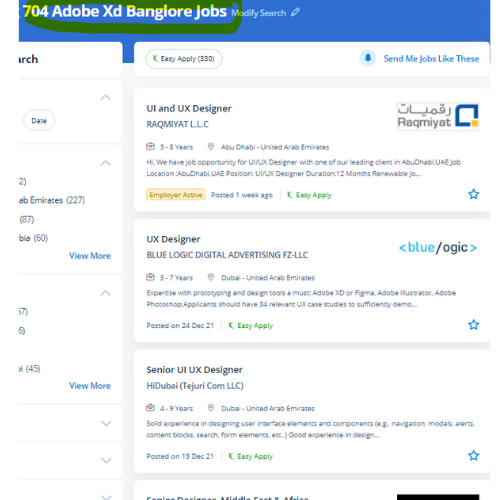
 Nestsoft helps you to attain job oriented coaching on Adobe XD to boost your design career. Our team helps you to make attractive UI/UX websites and app designs. Our Live online Adobe XD courses give you with a little organization course that you simply might take from every place with a high-speed internet connection. Apps and websites are designed effectively using Adobe Xd . you have got access to quite twenty applications like Photoshop, artist, Premiere pro, etc because Adobe XD is a component of the Adobe creative Cloud membership. you'll be able to ask queries, concentrate, and communicate with the trainer, even proportion your display screen as a part of these interactive classes. This course may be an advanced analysis of Adobe XD working techniques to be used for the creation and later implementation of our project into a totally fleshed, operating website, whereas not even one line of code. Gain mastery in ideation, Prototype, Sharing, Testing. Adobe XD could be a tool for producing web apps and mobile apps additionally it is mentioned as Adobe expertise design. Tools implemented in Adobe XD build interface style incredibly economical.